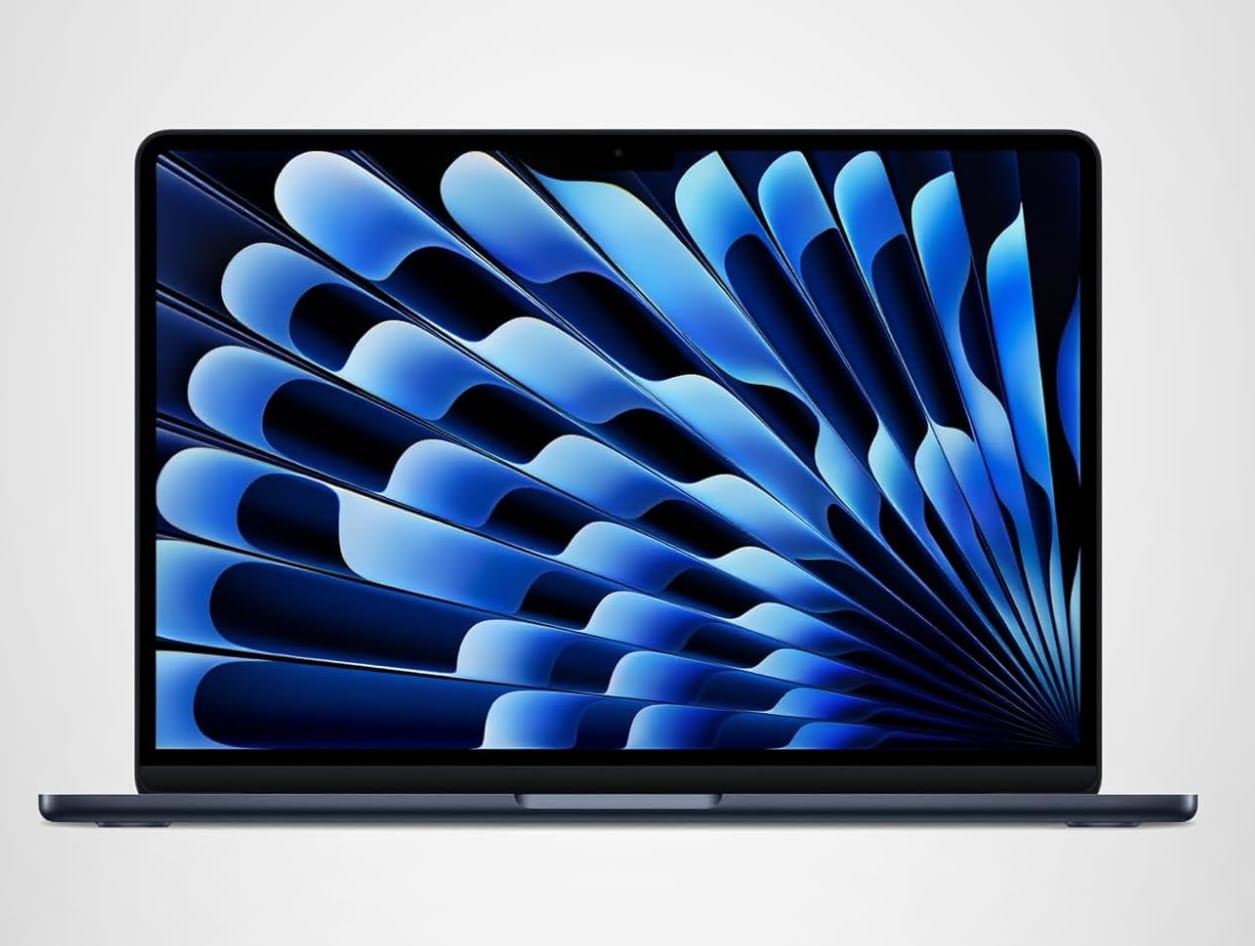
MacBook Air M5 Review: The Best Laptop for Most People in 2026
The MacBook Air M5 finally drops 8GB RAM as the floor, ships with Wi-Fi 7, and uses the same M5 chip as the Pro. At $999, it's the laptop most buyers should pick — here's why, and when you should look elsewhere.

Quick verdict
The MacBook Air M5 is the best laptop most people should buy in 2026.
Apple finally stopped kneecapping the Air. You get the full M5 chip, 16GB of RAM, Wi-Fi 7, and Apple Intelligence support in a 3-pound chassis that's 0.45 inches thin — for $999. Unless you edit HDR video for a living or work 16+ hours away from power, this is the laptop. The Pro M5 costs $500 more for a brighter display and longer battery, and the new MacBook Neo at $599 cuts too many corners for daily work. The Air sits in the sweet spot.
Who it's for
The Air M5 is built for the buyer who wants Apple Silicon performance without the Pro price tag.
- Students and remote workers who need all-day battery, fast wake-from-sleep, and a fanless design that stays silent in libraries and cafes.
- Creatives in SDR workflows — photo editing, social video, podcast editing, design work in Figma or Affinity.
- Developers who run Docker, VS Code, and a couple of Chrome windows without needing pro-level GPU work.
- Travelers who want the lightest serious laptop Apple makes.
- Anyone replacing an M1 or Intel-era MacBook Air — the M5 jump is dramatic, the M1-to-M5 jump even more so.
Who should skip it
The Air isn't for everyone. Three buyer types should look elsewhere.
If you edit HDR video or grade color for clients, the Air's 500-nit Liquid Retina display can't show you what your work will look like on a reference monitor. Get the MacBook Pro M5 for its XDR display.
If your daily work is sub-$1,000 tasks — email, browsing, light Office work, video calls — the MacBook Neo at $599 covers it for $400 less. The Air is over-spec for casual users.
If you need 24-hour battery for long-haul flights or off-grid shoots, the Pro's 24-hour rating beats the Air's 18 hours by a meaningful margin.
MacBook Air M5 specs
| Spec | 13-inch Air M5 | 15-inch Air M5 |
|---|---|---|
| Starting price | $999 | $1,149 |
| Chip | M5 (10-core CPU, 10-core GPU) | M5 (10-core CPU, 10-core GPU) |
| Memory | 16GB unified (24GB/32GB optional) | 16GB unified (24GB/32GB optional) |
| Storage | 512GB SSD (up to 2TB) | 512GB SSD (up to 2TB) |
| Display | 13.6" Liquid Retina, 500 nits | 15.3" Liquid Retina, 500 nits |
| Battery life | Up to 18 hours | Up to 18 hours |
| Weight | 3.0 lbs | 3.3 lbs |
| Thickness | 0.45 inches | 0.45 inches |
| Ports | 2x Thunderbolt 4, MagSafe 3, headphone jack | 2x Thunderbolt 4, MagSafe 3, headphone jack |
| Camera | 12MP Center Stage | 12MP Center Stage |
| Wi-Fi | Wi-Fi 7 | Wi-Fi 7 |
The M5 chip in real use
The M5 is the first Air chip that doesn't feel like a tax for choosing portability.
Same 10-core CPU and 10-core GPU as the Pro M5. Same 16-core Neural Engine. Same 153GB/s memory bandwidth. Apple is no longer reserving the best silicon for the Pro line — the chip is identical. The Pro's advantage is sustained performance under thermal load (fans plus a bigger heat spreader), which matters for 30-minute video renders but not for the work most Air buyers do.
In practice: Final Cut exports a 5-minute 4K SDR project in roughly the same time on both. Lightroom batch exports of 500 RAW files finish within a few seconds of each other. Xcode builds, Docker workloads, and Chrome tab juggling are indistinguishable. The Air only falls behind on sustained GPU work — 3D renders, long video exports, ML training — where its fanless design eventually throttles.
Apple Intelligence features run fully on the Air. Writing tools, image generation, the upgraded Siri, and the new on-device summarization all work with no degradation. The 16GB unified memory floor matters here — it's what lets Apple Intelligence run locally without spilling to swap.
The display: Liquid Retina, 500 nits
Bright enough for daily work, accurate enough for SDR creative output, but not HDR-grade.
The 13.6-inch (or 15.3-inch) Liquid Retina panel covers the P3 wide color gamut and hits 500 nits of brightness. That's enough to use outdoors in shade and bright enough for any indoor environment. The 1 billion color support means SDR photo editing in Lightroom or Affinity Photo looks correct — what you see on screen matches what you'll get from a quality print or web export.
What you're not getting: ProMotion (the Air stays at 60Hz, the Pro runs adaptive 120Hz), HDR brightness peaks (the Air maxes at 500 nits, the Pro hits 1600), or the 1,000,000:1 contrast ratio of the XDR panel. If you're not editing HDR video or grading color for clients, none of those matter. The Air's display is excellent for the price.
Battery: 18 hours, real-world
The 18-hour rating holds up in actual use, not just Apple's video-playback test.
Mixed-use day — Slack, Chrome with 15 tabs, VS Code, two video calls, Spotify in the background — lands at roughly 12-14 hours before the battery hits 10%. Pure writing or browsing days easily clear 18. The new Dynamic Power Adapter charges to 50% in 30 minutes if you upgrade to the 70W brick.
For comparison: the Pro M5 rates at 24 hours of video playback. In mixed real use, the gap is closer to 4-5 hours, not 6. That's still meaningful if you fly internationally or work off-grid, but for most buyers, the Air's battery is more than enough.
Ports: minimal but workable
Two Thunderbolt 4 ports, MagSafe 3 for charging, and a headphone jack. That's it.
You can drive up to two 6K external displays at 60Hz or one 8K display — the M5 chip is more capable than the port count suggests. But if you regularly plug in an HDMI monitor, an SD card from a camera, and an external SSD, you'll need a hub. The Pro's built-in HDMI and SDXC slot save you that dongle life.
For most desk setups, a single Thunderbolt dock solves it. Anker, CalDigit, and OWC all make options in the $200-300 range that turn one Thunderbolt port into HDMI, Ethernet, SD, and multiple USB-A.
Should you get the Pro M5 instead?
Only if you check one of these boxes:
- You edit HDR video and need a reference-quality display
- You grade color for paying clients
- You regularly work 16+ hours without access to power
- You plug in HDMI, SD cards, and multiple drives daily and don't want a hub
If none of those apply, the Air M5 gives you the same chip and 95% of the experience for $500 less. We covered the full head-to-head in our 2026 MacBook buying guide.
The bottom line
The MacBook Air M5 is the easy recommendation for 2026.
Same M5 chip as the Pro. 16GB of RAM, finally, as the floor. 18-hour battery. 3-pound chassis. $999. There's no compromise hiding in the spec sheet — Apple stopped using the Air as the place to cut corners. Unless you have a specific professional need the Pro solves, the Air is the right buy.
Check current Air M5 pricing on Amazon
FAQ
Is the MacBook Air M5 worth it over the Air M4?
Yes, if you're buying new. The M5 brings a meaningful single-core and GPU bump, Wi-Fi 7, and the upgraded 16-core Neural Engine that Apple Intelligence depends on. Pricing is identical to the M4 at launch, so there's no reason to choose the older chip for a new purchase. If you already own an Air M4, the upgrade isn't urgent — wait for the M6 or hold for two cycles.
Does the MacBook Air M5 run hot?
No. The Air is fanless, which means it throttles under sustained heavy load instead of running fans — but in normal use (browsing, code, video calls, light photo work), it stays cool to the touch. Long 4K video exports or 3D renders will warm the chassis and trigger throttling, but you won't hear a fan because there isn't one.
Can the MacBook Air M5 handle Final Cut Pro?
Yes, fully. The M5 chip and 16GB of RAM handle 4K SDR editing in Final Cut without issue. Color grading, multi-cam editing, and most plugin work all run smoothly. Where you'll hit the limits: HDR grading (the display can't show you accurate HDR), and long sustained exports where the fanless design starts to throttle. For weekly YouTube editing or freelance SDR work, the Air is more than enough.
How much RAM should I get with the MacBook Air M5?
16GB is the floor and it's enough for most buyers — Apple finally fixed the 8GB problem. If you run lots of Docker containers, edit video, work with large RAW photo libraries, or keep 50+ Chrome tabs open, upgrade to 24GB. The 32GB option is overkill for the Air's intended use — if you genuinely need 32GB, you probably need the Pro for the sustained performance to match.
Is the 15-inch MacBook Air M5 worth $150 more than the 13-inch?
If you'll be your primary screen most of the time, yes. The 15.3-inch panel gives you noticeably more workspace for side-by-side windows, spreadsheets, and timelines. The 13.6-inch is better if you travel constantly and want the smallest, lightest option. Same chip, same battery, same ports — purely a screen-size and weight decision.
This article contains affiliate links. If you purchase through these links, we may earn a small commission at no extra cost to you. We only recommend products we've researched thoroughly. As an Amazon Associate I earn from qualifying purchases. See our Affiliate Disclosure for full details.